
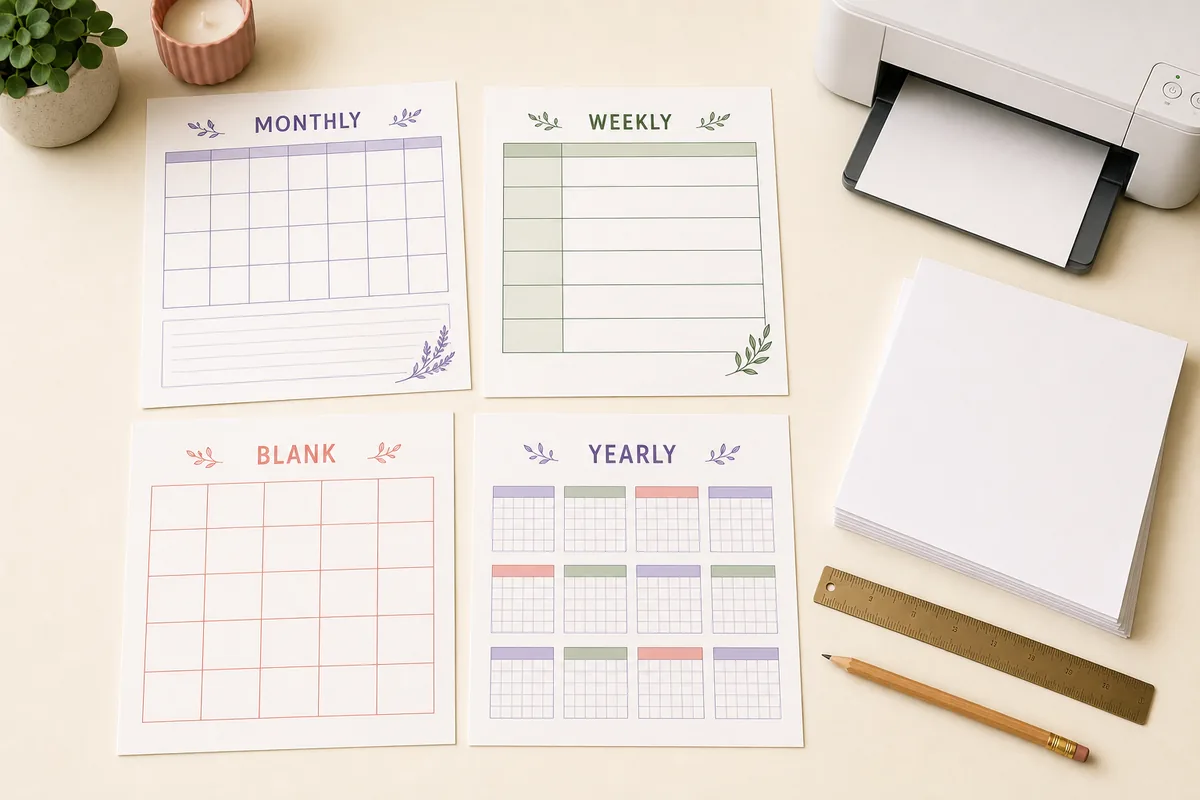
Quick answer: choose a monthly printable calendar template when you need writing space, a weekly template for near-term tasks, a yearly template for deadlines and milestones, a blank template for custom labels, and a PDF-ready page for sharing or archiving. Then match Sunday or Monday start, A4 or US Letter, portrait or landscape, and print scale to the way the page will be used.
Choose the right printable calendar template
A calendar template is useful only when its page shape matches the planning job. A yearly grid keeps twelve months visible but leaves little room for handwriting. A monthly grid makes appointments easier to read. A weekly page is better for tasks that change every few days, while a blank calendar lets you decide what each box means.
Use the table below as a fast decision guide. The links lead to working calendar pages rather than static promises: you can change the year, month, week start, paper size, and layout before printing. This keeps the template choice separate from the final date check.
| Template format | Best for | Start here |
|---|---|---|
| Monthly calendar template | Appointments, meals, school dates, and notes | Printable Monthly Calendar |
| Weekly calendar template | Shifts, classes, habits, and the next seven days | Weekly Printable Calendar |
| Yearly calendar template | Milestones, deadlines, travel, and annual overview | 2026 or 2027 Calendar |
| Blank calendar template | Handwritten labels, routines, and custom categories | Blank Calendar Printable |
| Notes calendar template | A date grid plus a visible notes area | Calendar Maker |
| PDF calendar template | Sharing, archiving, and repeat printing | Printable Calendar PDF |
| Custom spreadsheet template | Shared editing, formulas, and reusable rules | Google Sheets Guide |
Monthly calendar template
A monthly printable calendar template is the best default for most paper planning because it shows a complete month without shrinking the dates into a tiny yearly grid. Use it for family schedules, classroom plans, office deadlines, appointments, bills, meal planning, content calendars, and recurring chores. Leave enough open space in each date box for the kind of note you actually write.
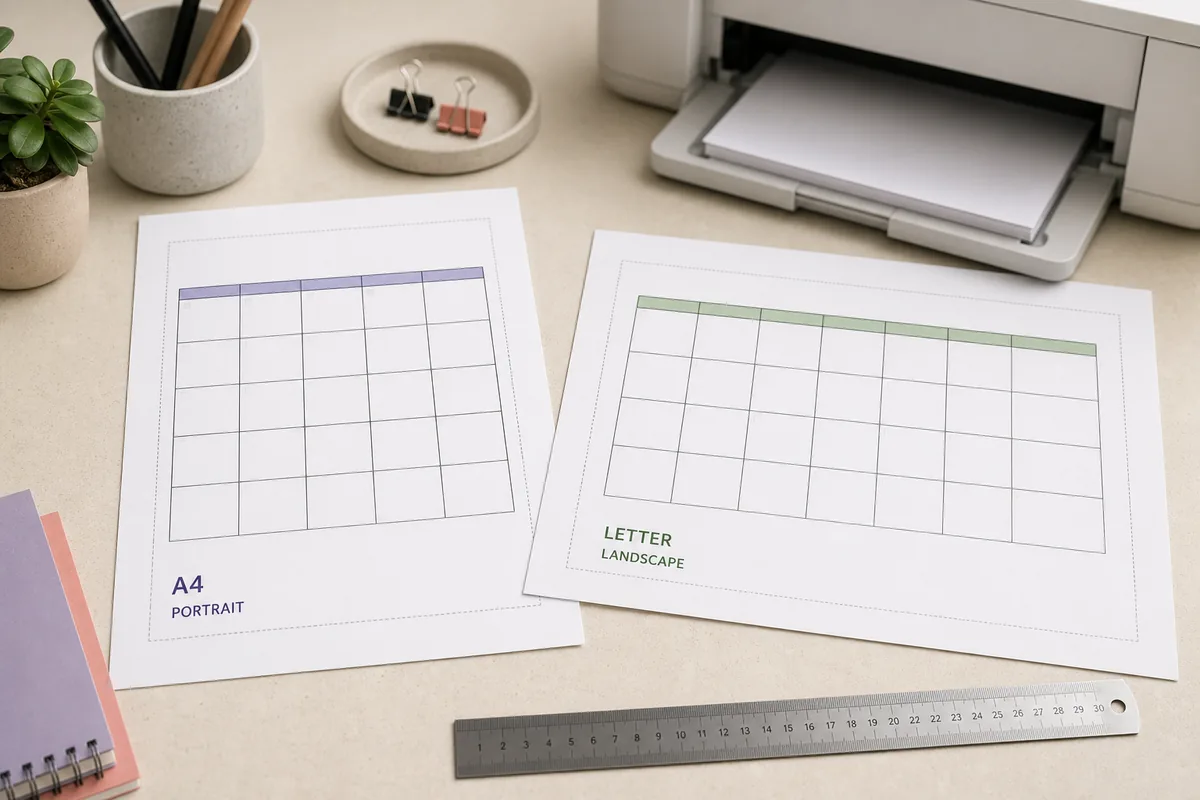
Choose landscape when the seven columns need more width for handwriting. Choose portrait when the page will go into a binder, folder, or compact planner. Sunday-first is familiar for many household calendars; Monday-first can make work and school weeks easier to scan. Check the first weekday in the preview before adding important events.
When a monthly template is better than a yearly one
Use the monthly format when a date needs a short description, a time, or a status mark. It gives each day a larger working area and avoids the scale problem that appears when twelve months must fit on one page.
A monthly page is also easier to replace. If a schedule changes, print only the affected month instead of recreating an entire year. Save a clean PDF when the page needs to be emailed or posted somewhere other people can read it.
- More writing space per date than a yearly overview.
- Simple to print again when plans change.
- Works for Sunday-start and Monday-start routines.
- Easy to pair with A4 or US Letter paper.
Weekly, blank, and notes calendar templates
A weekly printable calendar template works when the next seven days matter more than the rest of the month. Use it for shift handovers, study plans, meal preparation, exercise routines, publishing tasks, or a short project sprint. It is often easier to read than a monthly page when each day needs several lines of detail.
A blank calendar template is a different choice: it gives you a grid without assuming that every box is a standard date. That makes it useful for habit tracking, rotating schedules, classroom routines, undated planning, or categories that do not fit a normal calendar. If you need dates plus extra space, use the notes mode in the calendar maker and keep the notes area separate from the date grid.
| Need | Recommended format | Why |
|---|---|---|
| Plan only the next seven days | Weekly template | Large day areas make task changes visible. |
| Write a custom routine | Blank template | You control labels, categories, and symbols. |
| Track dates and explanations | Notes calendar | The grid stays readable while notes remain nearby. |
| Use a repeating shared page | Monthly or weekly PDF | A stable file is easy to send and print again. |
Yearly and PDF calendar templates
A yearly printable calendar template is best for the planning horizon, not for detailed handwriting. Use it to mark vacations, payment cycles, term dates, project milestones, birthdays, and broad deadlines. If a yearly page becomes too small to read, keep the yearly overview for reference and use a monthly template for the working schedule.
A PDF calendar template is a delivery format rather than a separate planning style. Create the layout you need, open the browser print dialog, choose Save as PDF, and inspect the saved page. PDF is useful when a family, class, or team needs the same version, but it is still a snapshot: regenerate it after the source dates change.
- Choose the planning horizonUse yearly for milestones, monthly for appointments, and weekly for detailed short-term work.
- Select the working formatPick a standard, blank, or notes layout based on how much writing the page needs.
- Set the paper and layoutMatch A4 or US Letter and choose portrait or landscape before the final preview.
- Save a PDF when sharingUse the browser print dialog and check that the output contains only the intended calendar.
Paper size, orientation, and week start
A good printable calendar template can still look wrong if the paper settings do not match the printer. US Letter is common in the United States and Canada, while A4 is common in many other regions. The dimensions are different enough that a page set to the wrong size can leave excess margins, shrink the date boxes, or clip the outer border.
Orientation is a practical tradeoff. Landscape usually gives a seven-column monthly template more horizontal room. Portrait can be easier to file and can work well for a narrow notes layout. The week-start choice is a reading preference, not a quality score; use Sunday or Monday based on the routine of the people who will read the page.
| Setting | Choose this when | Check before printing |
|---|---|---|
| A4 | Your paper or printer tray is A4 | The preview uses A4, not Letter. |
| US Letter | Your paper or printer tray is Letter | The last row and outer border remain visible. |
| Landscape | Seven columns need more width | Date text stays readable at the selected scale. |
| Portrait | Filing or a narrow notes page matters | The grid is not compressed into tiny cells. |
| Monday start | Work or school planning follows Monday | The first date aligns with the intended weekday. |
| Sunday start | A household or traditional view is preferred | Weekday labels and dates still line up. |
How to print a calendar template without clipping
Do not judge the final page only from the browser screen. The print dialog applies paper, margins, scale, headers, and footers that may not be obvious in the on-screen preview. Select the intended calendar page, then review all four edges: the title, weekday row, last date row, and outer border should remain visible.
If the template is crowded, first switch to a better format rather than forcing a tiny scale. A monthly page can replace a yearly page, landscape can replace portrait, and a selected range can remove helper content. Turn off browser headers and footers when you do not want a URL, date, or page number on the printable calendar.
- Preview the exact pageConfirm that the selected month, year, week start, and date values are correct.
- Match the paper sizeChoose A4 or US Letter to match the sheet loaded in the printer.
- Choose orientation and scaleTry landscape for wide grids and keep the smallest text readable.
- Remove unwanted extrasDisable headers and footers when the calendar should be clean.
- Inspect the saved resultOpen the PDF or first printed page and check edges before distributing copies.
Custom templates and practical limits
A ready-made printable calendar template is usually faster when you need a clean date grid. Use Google Sheets when the calendar must contain formulas, collaboration, conditional formatting, categories, or a reusable custom workflow. The spreadsheet route gives you more control, but it adds date logic and print-preview checks that a ready-made page handles for you.
Calendar templates do not automatically provide a universal holiday list. Holidays, school closures, work schedules, and observances depend on country, region, employer, or institution. Verify important dates with the relevant local or official source before treating a printed page as a final schedule.
- A printed calendar is a snapshot and should be regenerated after source dates change.
- Do not assume a template includes local holidays or school closures.
- Keep the date grid larger than decorative elements when handwriting matters.
- Use a PDF when the same checked version must be shared or archived.
- Use the Google Sheets guide when formulas and shared editing are more important than speed.
Printable calendar template FAQ
What is the best printable calendar template for family planning?
A monthly template is usually the most useful starting point because it shows a complete month and leaves more room for appointments, school events, payments, and household notes. Use a weekly page when each day needs more detail.
Should I choose a monthly or weekly calendar template?
Choose monthly when you need the whole month at a glance. Choose weekly when tasks, shifts, classes, or routines change often during the next seven days and need larger writing areas.
Can I print a calendar template on A4 or US Letter?
Yes. Match the print dialog to the physical paper and confirm the preview before printing. The wrong paper setting can shrink the grid or clip its edges even when the template looks correct on screen.
How do I save a printable calendar template as a PDF?
Choose the calendar format, open the browser print dialog, select Save as PDF, match the paper size, and review the saved page. Turn off headers and footers when you do not want browser details on the calendar.
Do printable calendar templates include holidays?
Do not assume that they do. Holidays and school or workplace closures vary by location and institution. Check an appropriate local or official source before adding dates that affect a real schedule.
Can I make a printable calendar template in Google Sheets?
Yes. Google Sheets is useful for formulas, shared editing, categories, and reusable custom layouts. Follow the Google Sheets guide when you need a spreadsheet workflow; choose a ready-made calendar page when speed and a clean print preview matter more.